

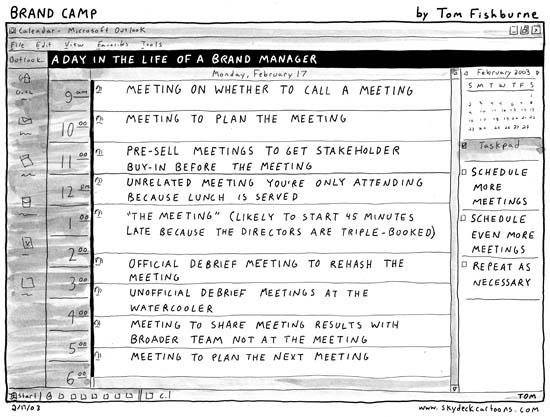
A few years ago, I wrote a post called Death by Meetings. If you’re Malawian, you know exactly what I meant. We could hold a meeting to plan the agenda for another meeting. Not long after that, Covid-19 arrived. And a question I asked, “Are we ready to work from home?“, stopped being a thought experiment and became everyone’s Monday morning.
That was 2020. It’s 2026 now. It’s no longer “are we ready to work from home?” It’s “why are we still going into an office at all?”
Across Malawi and beyond, small teams and big organisations are skipping the physical office altogether, or settling into a mixed, hybrid setup — a few days in and a few days wherever it makes sense. The Covid-19 lockdown forced the experiment. What’s kept it going is that many teams discovered they didn’t need four walls to get things done. They needed something else entirely: a way to collaborate that didn’t depend on being in the same room.
That’s really what all my old posts were circling, so let’s bring them together, updated for where remote and hybrid work actually stand now.
Why remote work and online collaboration actually work
I made the case for collaboration tools back in 2018, before remote work was a global norm and long before COVID-19 made it compulsory. The reasoning holds up better than most predictions from that era:
- No more version chaos. Nobody should still be emailing a spreadsheet to five people and losing track of which copy is current. Real-time editing means everyone works off the same file, together, at the same time.
- Less dependence on email. When updates happen inside the tool itself, the endless email CC chain stops being the record of truth.
- Your team can be anywhere. With a decent connection, “let’s meet about it” stops being the default. It becomes a choice, not a necessity.
- Things move faster. Work gets reviewed and edited whenever someone has a moment, rather than everyone’s calendars needing to line up first.
- One home for everything. Files live in a shared, central place instead of scattered across thumb drives, inboxes, and phones.
None of that was radical even in 2018. What’s changed is that it’s no longer optional infrastructure for the ambitious few — it’s the baseline expectation for any team that isn’t sitting in one office five days a week.
The problem was never “no office.” It was “no system.”
Back in 2020, I listed out what remote-readiness actually required, and none of it was about broadband or a laptop:
- Self-discipline — the fridge is still just 10 steps away. So is your bed!
- Time management — knowing when to log on, and just as importantly, when to stop.
- Comfort with the tools, not dependence on Chimz from IT to walk you through attaching a report or figuring out why the internet connection isn’t working.
- Communication skills — the ability to type your thinking out clearly, because there’s no hallway to clarify things in.
Five years on, those four haven’t changed one bit. What has changed is that email is no longer the default fallback when you can’t meet in person. Teams now have real, purpose-built tools for exactly this. If you’re still running a hybrid or remote team purely on WhatsApp groups and a shared email thread, you’re carrying 2020’s workload with 2026’s expectations.

Photo by Yusuf Shamsudeen on Unsplash
The tools: what still works, and what’s replaced it
In Death by Meetings, I walked through three tools worth using instead of another physical sit-down. They still hold up, though the landscape has widened:
Google Workspace (formerly G Suite) is still the easiest on-ramp for most teams. Docs, Sheets, Slides and Drive let people work on the same file in real time instead of emailing five versions of a budget back and forth and losing track of which one is current. If your team has Gmail accounts, you already have this.
Slack is still around and still strong for organised, channel-based conversation — a channel per project or team, files and history archived and searchable, instead of scrolling back through a WhatsApp group to find a quote someone shared three weeks ago. Microsoft Teams has become the natural alternative for organisations already inside the Microsoft/Office ecosystem, bundling chat, video calls and file storage in one place.
Asana was, and still is, my most recommended tool for organising real work for small teams — tasks nested under projects, projects nested under teams, due dates that sync to a calendar, and a clear owner for every task so nothing quietly falls through the cracks. If your team is small and wants something with a gentler learning curve, Trello‘s board-and-card approach or Notion, which has grown into a genuinely flexible mix of docs, wiki and task tracking, are both worth a look. ClickUp has also emerged as a solid all-in-one option if you want project management, docs and chat without stitching three separate tools together.
None of these tools is “the right one.” The right one is whichever your team will actually use consistently. A perfect tool nobody opens is worse than a simple one everybody does.
What Asana actually looks like in practice
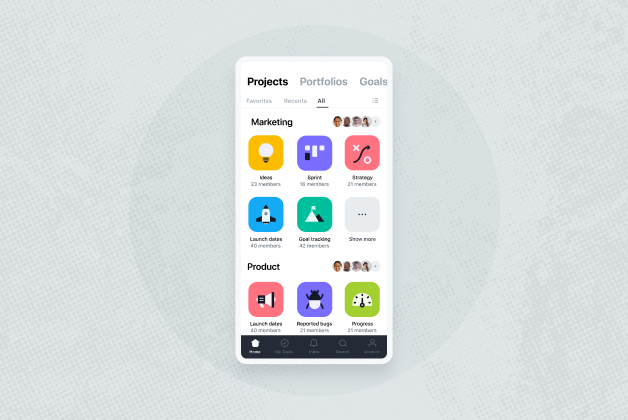
Because I get asked this a lot: Asana isn’t just a to-do list. The structure runs Organisation → Team → Project → Tasks, and tasks can carry their own subtasks. A marketing team might have a project called “Website Refresh” with tasks like “Write new About page,” which itself has subtasks like “Get updated profile photo” and “Draft new bio.” Each one can have an owner, a due date, and a comment thread attached to it — so the back-and-forth that used to happen in a meeting or a scattered email chain happens right there, attached to the actual piece of work.
It works just as well for individuals managing their own workload — content creators, consultants, anyone juggling recurring and one-off projects at once. And through connector tools like Zapier, it can even pull in updates automatically, for example logging a task the moment a new newsletter subscriber signs up.
Skipping the office doesn’t mean skipping structure
Here’s the part that hasn’t changed since 2020, and honestly is more true now than it was then: having the tools is not the same as having a team that knows how to use them well. I’ve seen organisations roll out Slack or Asana and then keep working exactly as they did before — daily calls to “sync up” on things that were already written down, or task threads that turn into unstructured chat because nobody agreed on how to use the tool.
Hybrid and fully remote setups don’t fail because the software is wrong. They fail because the underlying habits were never built. That’s a training gap, not a technology gap — and it’s exactly the kind of gap I help small teams close.
Where I can help
I run practical, hands-on training for small teams that goes beyond “here’s how to log in.” Past sessions have included online productivity and collaboration tool training for participants in the FemBioBiz Acceleration programme — helping a cohort of entrepreneurs actually build working habits around the tools, not just accounts on them.
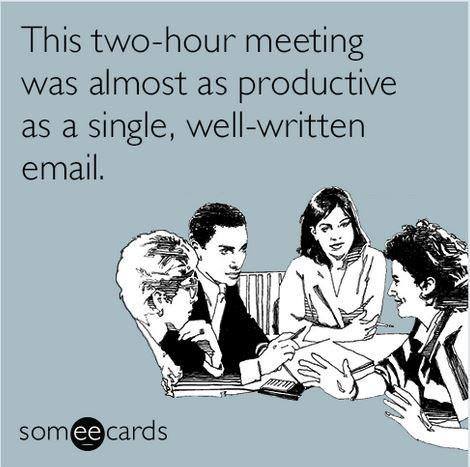
If your team is hybrid, fully remote, or just tired of meetings that could have been a shared doc, I can help with:
- Choosing the right collaboration stack for your team’s size and budget.
- Hands-on training so the tools actually get adopted, not just installed.
- Setting up sane project and task structures from day one, so Asana (or whatever you choose) doesn’t turn into digital clutter
Get in touch through the Training page and let’s talk about what your team actually needs.
Have yourselves a productive and largely meeting-free week!